SQL Server 2025 reached general availability on November 18, 2025. When we first wrote about common SQL Server concerns back in 2022, the list was mostly evergreen: indexes, memory, and deadlocks.
Those still matter. But the 2025 release changes the upgrade conversation in ways that deserve their own headline, and most of the real decisions aren't about query tuning. They're about editions, capacity, and where Microsoft has drawn new lines between Standard and Enterprise. Here's what we're telling our customers to think through before signing off on a 2025 upgrade.
What's New in SQL Server 2025
Before getting into concerns, a quick orientation. The licensing model itself hasn't changed. Core-based and Server+CAL both continue. Software Assurance still gates virtualization rights and failover instances. What changed:
Standard Edition got a major capacity increase: core limit went from 24 to 32, buffer pool memory went from 128 GB to 256 GB
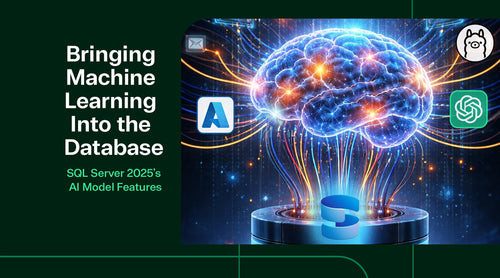
Native AI features landed in the engine: vector data types, DiskANN vector indexing, semantic search, RAG workflows, and T-SQL model management
Web Edition was discontinued: with the 2025 release (SQL Server 2022 Web is the last version and is supported through January 2033)
SSRS was replaced by Power BI Report Server (PBIRS): which is now included in Standard Edition (previously Enterprise-only)
Express got a bump: to 50 GB database size and now includes the features that used to require "Express with Advanced Services."
Pricing went up: roughly 6.5% on Standard and 9.1% on Enterprise compared to 2022
That context matters for every concern below.

Concern #1: You May Be on Enterprise for Capacity Reasons That No Longer Apply
This is the biggest licensing story in the 2025 release, and most organizations we talk to haven't run the numbers yet. Before 2025, Standard Edition capped out at 24 cores and 128 GB of buffer pool memory per instance. Any workload that needed more forced you into Enterprise, even if you never used a single Enterprise-only feature. That has been a common, expensive trap.
With SQL Server 2025, Standard now supports 32 cores and 256 GB of buffer pool. If your reason for being on Enterprise was purely capacity (not Always On availability groups with more than two replicas, not online index rebuilds, not unlimited In-Memory OLTP), you may be able to downgrade on your next upgrade cycle.
The math is significant. Enterprise core licenses cost roughly 5 times as much as Standard core licenses. For a 32-core deployment, the difference can run into six figures annually. Even if you only move one instance, the savings usually pay for the upgrade project several times over.
What to do before you assume Enterprise is still required:
- Audit each instance for Enterprise-only feature dependencies. Dynamic data masking, row-level security, and Transparent Data Encryption all work in Standard.
- Basic Always On availability groups (two replicas, one database) work in Standard.
- Online index rebuilds, In-Memory OLTP at scale, Always On with more than two replicas, Always Encrypted with secure enclaves, DiskANN vector indexing, and Fabric mirroring still require Enterprise.
- Right-size against the new 32-core, 256 GB ceiling rather than the old 24/128 ceiling.
- Remember that the jump from Developer on someone's laptop to production can accidentally pull in Enterprise features. SQL Server 2025's Developer edition now comes in both Standard and Enterprise variants, specifically to help teams catch this earlier.
Concern #2: The AI Story Sounds Great, But Most of It Is Enterprise-Only
SQL Server 2025's headline feature is native vector support. You can store embeddings in a VECTOR column, index them with DiskANN, run similarity searches directly in T-SQL, and call out to Azure OpenAI or hosted models without leaving the database. For organizations that have been stitching together Postgres+pgvector or standalone vector databases, this is a legitimate consolidation story.
Here's the catch: DiskANN vector indexing, Fabric mirroring, and immutable Azure backup all land as Enterprise-only features. If your AI strategy assumes vector workloads at production scale on SQL Server 2025, you're assuming Enterprise licensing.
The practical implication: the same workload that could stay on Standard for transactional and analytical use might need Enterprise if you want to add vector search for a RAG pipeline or semantic search layer. That decision should be made during upgrade planning, not after someone has already promised the business an AI feature.
Questions worth answering up front:
- Is vector search a must-have for a production workload, or a "nice to have someday" that shouldn't drive your licensing decision?
- If you need vector at Enterprise scale on one instance, can other instances stay on Standard to keep the total cost contained?
- Have you priced the alternative (keeping vector workloads in Azure AI Search or a dedicated vector store) so you know whether the SQL Server 2025 consolidation saves money in your case?
Concern #3: Web Edition and SSRS Transitions Create Hidden Work for Specific Shops
These two changes don't affect every customer, but for the shops they do affect, they're a real migration conversation that Microsoft's GA messaging doesn't exactly volunteer.
Web Edition is gone
If you're a hosting provider, SaaS operator, or MSP running customer workloads on SQL Server Web edition under SPLA, the 2025 release does not have a Web edition. SQL Server 2022 Web remains your option through January 2033 under existing SPLA terms. After that, Microsoft's suggested paths are Azure SQL Database (elastic pools) or SQL Server 2025 Standard for on-premises and Azure VM workloads. Neither is a like-for-like price match, so build the cost delta into your service pricing conversations now rather than at migration time.
SSRS is now Power BI Report Server
On-premises SQL Server Reporting Services is consolidated into Power BI Report Server (PBIRS) in SQL Server 2025. The good news: PBIRS is included in Standard Edition, where previously it required Enterprise plus active Software Assurance. The less-obvious news: your existing SSRS deployments need a migration path, not just an in-place upgrade assumption. If you have custom report extensions, unusual authentication configurations, or a long tail of paginated reports, plan a testing window.

The Evergreen Concerns Are Still Evergreen
The 2022 version of this post covered three operational pain points that are still true in 2025:
Index health still trips up teams: Missing indexes, duplicated indexes, and neglected maintenance costs more than most organizations realize. SQL Server 2025's automatic plan correction improvements help at the edges, but the fundamentals haven't changed.
Memory, CPU, and storage sizing still causes most performance issues: The good news is that Standard's new 256 GB buffer pool ceiling buys you more headroom before you need to re-architect.
Deadlocks remain a design problem more than a tuning problem: The same patterns that caused them in 2022 cause them in 2025. Extended Events and the system health session are still your best tools for capturing them.
If you want the deeper treatment on those evergreen issues, our original SQL Server concerns post from 2022 still holds up for the operational fundamentals. The difference in 2025 is that the licensing and edition decisions around those workloads have more room to move than they used to.
What to Do Before Your 2025 Upgrade
The upgrade itself is the easy part. The decisions around it are where customers save or waste money:
Inventory every SQL Server instance: with edition, core count, memory allocation, and Software Assurance status. You can't rightsize what you haven't measured.
Flag every instance on Enterprise: and identify which Enterprise-only features each one depends on in production. The answer is often "none, it was purely capacity."
Map your AI roadmap against the Enterprise feature list: before committing to vector workloads on SQL Server.
Plan Web Edition and SSRS migrations separately: from the main upgrade. Bundling them creates scope risk.
Lock in Software Assurance renewals: before they lapse. Failover rights depend on active SA, and the clause briefly disappearing from Microsoft's Product Terms in November 2025 was a useful reminder not to take it for granted.
If you want help running through this on your environment specifically, that's a half-hour call and a spreadsheet. Bring your current inventory, your AI roadmap, and the next renewal dates for any Software Assurance coverage you have in place. We'll walk out with a clear upgrade plan and a short list of places you're likely overpaying today.